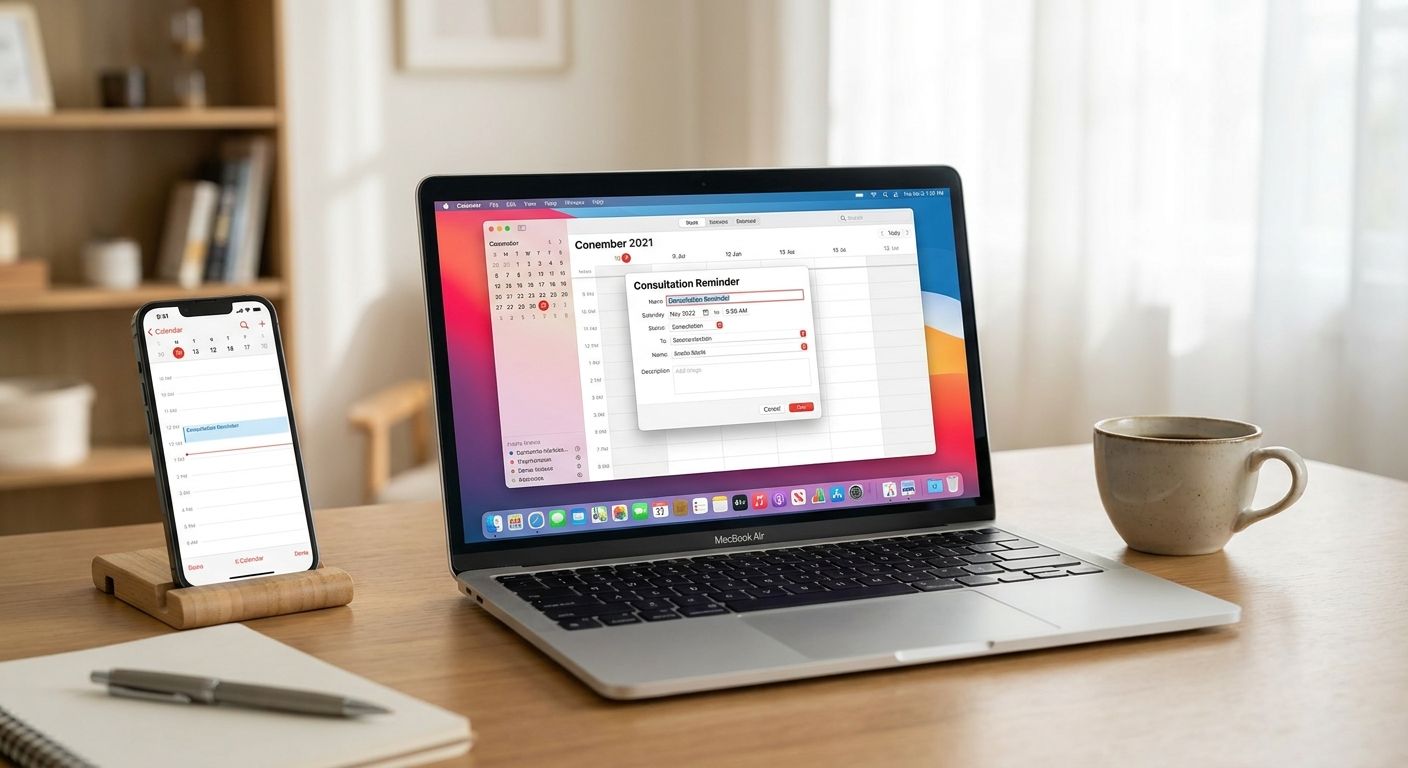
Add your Lex Africa consultation reminder to Apple Calendar by creating a manual event with the date, time and video call link from your booking confirmation, then setting an alert 15 minutes before your call — a missed 15-minute advocate slot means rebooking and waiting for the next available time.
- Add your Lex Africa consultation reminder to Apple Calendar manually using the date and time from your booking confirmation email.
- Set the alert 15 minutes before the call — Lex Africa consultations run 15 minutes, so a late start eats into the session.
- Nairobi runs on East Africa Time (UTC+3) year-round; convert the time before saving if you're booking from the diaspora.
- Back up Apple Calendar with the WhatsApp reminder option if you don't reliably check phone notifications.
Why this matters
You've paid for a 15-minute slot with an LSK-verified advocate on employment, property, family or business law. That slot is short by design — it's built for a direct answer, not a long meeting — which means arriving late or missing it entirely wastes the booking. Lex Africa confirms your session by email with the date, time and video call details, but the app or browser tab you booked from won't push a notification to your phone on its own. Apple Calendar will, if you set it up in the next few minutes.
Diaspora Kenyans booking from London, Toronto or Sydney face the extra step of converting East Africa Time correctly. Get that wrong by even one hour in 2026 and you'll either miss the call or sit waiting for an advocate who isn't there yet.
Before you start
- Your booking confirmation with the exact date, time and time zone of the consultation — keep the email open in another tab while you build the calendar event.
- An Apple ID signed into Calendar on your iPhone or Mac. iCloud syncing is what pushes the event and its alert to every device you own, not just the one you created it on.
- The gotcha: confirmations list the time in East Africa Time (EAT, UTC+3). If your phone's calendar time zone setting doesn't match, the event can silently save an hour or more off from what you actually booked. Check the converted time on the event before you close it.
Create the event on iPhone
- Open the Calendar app and tap the + in the top-right corner.
- Tap Title and enter something you'll recognize later, like "Lex Africa consultation."
- Tap Starts and set the date and time from your booking confirmation. If your phone defaults to a different time zone than EAT, scroll to Time Zone inside the event and set it to Nairobi so the conversion is automatic.
- Tap Alert and choose 15 minutes before.
- Tap Add in the top-right corner to save.
Expected result: the event appears on your Calendar app home screen with a bell icon, and a notification fires 15 minutes before your consultation starts.
Create the event on Mac
- Open the Calendar app.
- Click the + button near the top of the window, or use File > New Event.
- Double-click the new event to open its details, then fill in Title, Location (paste the video call link here), and the correct start time.
- Click the alert dropdown inside the event and select 15 minutes before.
- Click anywhere outside the event window to save it.
Expected result: the event syncs to your iPhone within a few seconds if both devices are signed into the same Apple ID with Calendar syncing turned on in Settings > [Your Name] > iCloud.
Add a WhatsApp reminder instead (or as backup)
If you don't check phone notifications reliably, or you'd rather not touch the Calendar app at all, Lex Africa can send a WhatsApp reminder before your advocate video call. Running both — the Apple Calendar alert and the WhatsApp message — covers you if one channel gets muted or buried under other notifications on the day of your consultation.
Troubleshooting
- Event shows the wrong time. Your phone's default calendar time zone doesn't match EAT. Open the event, tap Time Zone, and set it to Nairobi manually rather than trusting auto-detect, especially if you're traveling.
- Event added on Mac doesn't show on iPhone. iCloud Calendar sync is off on one device. Check Settings > [Your Name] > iCloud > Calendar on iPhone, and System Settings > Apple ID > iCloud on Mac.
- Alert didn't trigger. A Focus mode or Do Not Disturb schedule is silencing Calendar notifications. Check Settings > Focus and confirm Calendar alerts are allowed through.
- You've got the reminder twice. This happens when you set both the Apple Calendar alert and the WhatsApp reminder and forget you did — not a bug, just a duplicate safety net. Leave both running if missing the call would cost you more than a minor annoyance.
- Can't find the video call link when the alert fires. Paste the link into the event's Location or Notes field when you first create it — Apple Calendar events don't pull that detail from your confirmation email automatically.
Book your next consultation
Connect with an LSK-verified advocate for a 15-minute video call.
Customize your workflow
Once the reminder is sorted, tighten the rest of the booking flow. If you'd rather not switch between browser tabs to book, installing the Lex Africa app speeds up the process. After the call, you can also get your consultation notes emailed as a PDF so you have a written record of what the advocate covered, separate from the calendar event itself.
Google Calendar users on Android or a work Gmail account should follow the parallel steps instead — the fields differ slightly but the logic (manual event, correct time zone, 15-minute alert) is identical either way.
FAQ
How do I add a Lex Africa consultation reminder to Apple Calendar?
Create a new event in the Calendar app on iPhone or Mac using the date and time from your booking confirmation, then set the alert to 15 minutes before. Add the video call link in the event's Location field so it's visible when the alert fires.
Should I use Apple Calendar or the WhatsApp reminder?
Both work independently, and running them together is the safest setup for 2026. Apple Calendar is better if you live in your phone's calendar app; WhatsApp catches you if notifications are muted or you're between apps.
What time zone should I set for my consultation?
Lex Africa consultations are scheduled in East Africa Time (EAT, UTC+3), which does not observe daylight saving. Set the event's time zone to Nairobi inside Apple Calendar rather than relying on your phone's default zone if you're outside Kenya.
Does Apple Calendar sync across my iPhone and Mac automatically?
Yes, as long as both devices are signed into the same Apple ID with iCloud Calendar syncing turned on. If an event you created on one device isn't showing on the other, check the iCloud toggle for Calendar in Settings on each device.
Can I set more than one alert on the same event?
Apple Calendar lets you add a second alert on iPhone and Mac. A common setup is one alert 30 minutes before and a second at 15 minutes before, so you have time to get to a quiet spot before the call starts.
How do I convert Nairobi time to my local time zone abroad?
Nairobi is UTC+3 year-round with no daylight saving changes. London runs 2-3 hours behind depending on British Summer Time, and US Eastern time runs 7-8 hours behind — set the event's time zone to Nairobi in Apple Calendar and let it auto-convert to your device's display time.
Do I need an Apple ID to use the Calendar app?
You can create local events without an Apple ID, but you won't get syncing across devices or iCloud-based alerts on your Apple Watch. Sign in with an Apple ID if you want the reminder to follow you from iPhone to Mac.
What happens if I miss my consultation because the reminder didn't fire?
Check the booking confirmation email from Lex Africa for next steps, since the process depends on your specific booking. Setting both a Calendar alert and a WhatsApp reminder reduces the chance this happens in the first place.
One last thing
East Africa Time has stayed fixed at UTC+3 since 1960 and never shifts for daylight saving — which means once you set an event's time zone to Nairobi in Apple Calendar in 2026, you never have to touch it again for future consultations, even if your own local clock changes twice a year.